

LIVEDESIGN CONNECTOR FOR PIPELINE PILOT
Extend Schrödinger LiveDesign capabilities by integrating BIOVIA Pipeline Pilot protocols seamlessly
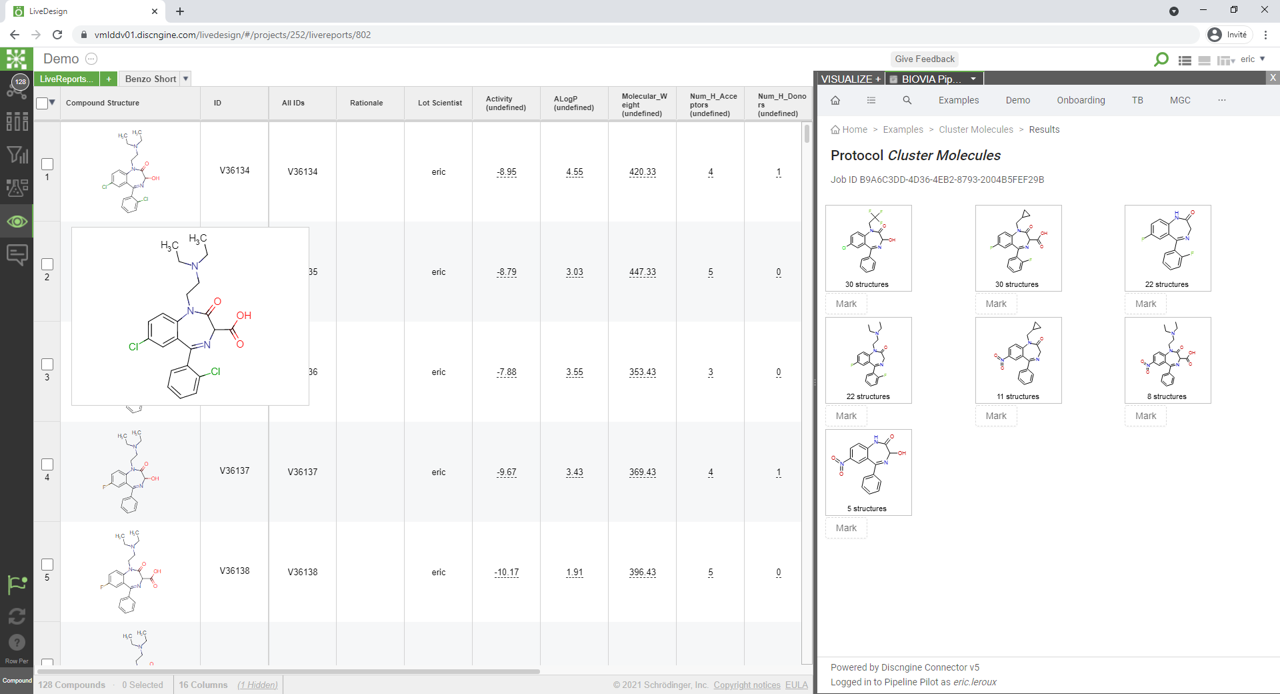

What is the LiveDesign connector for Pipeline Pilot?
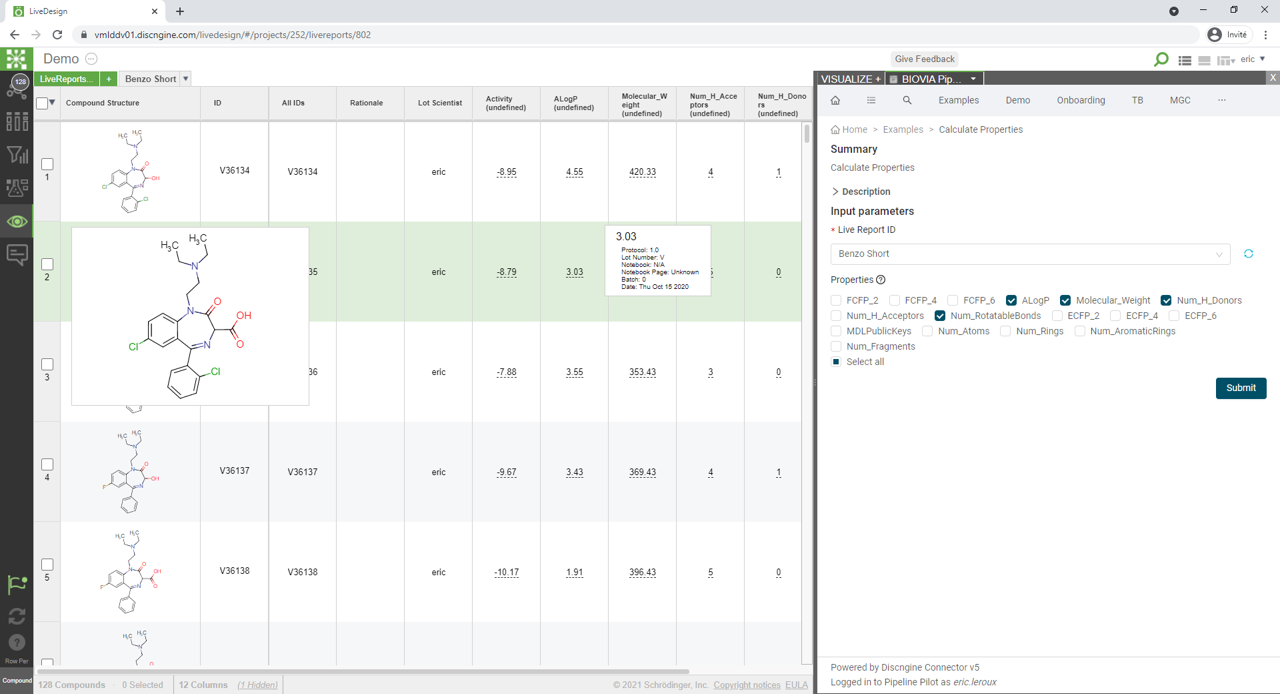
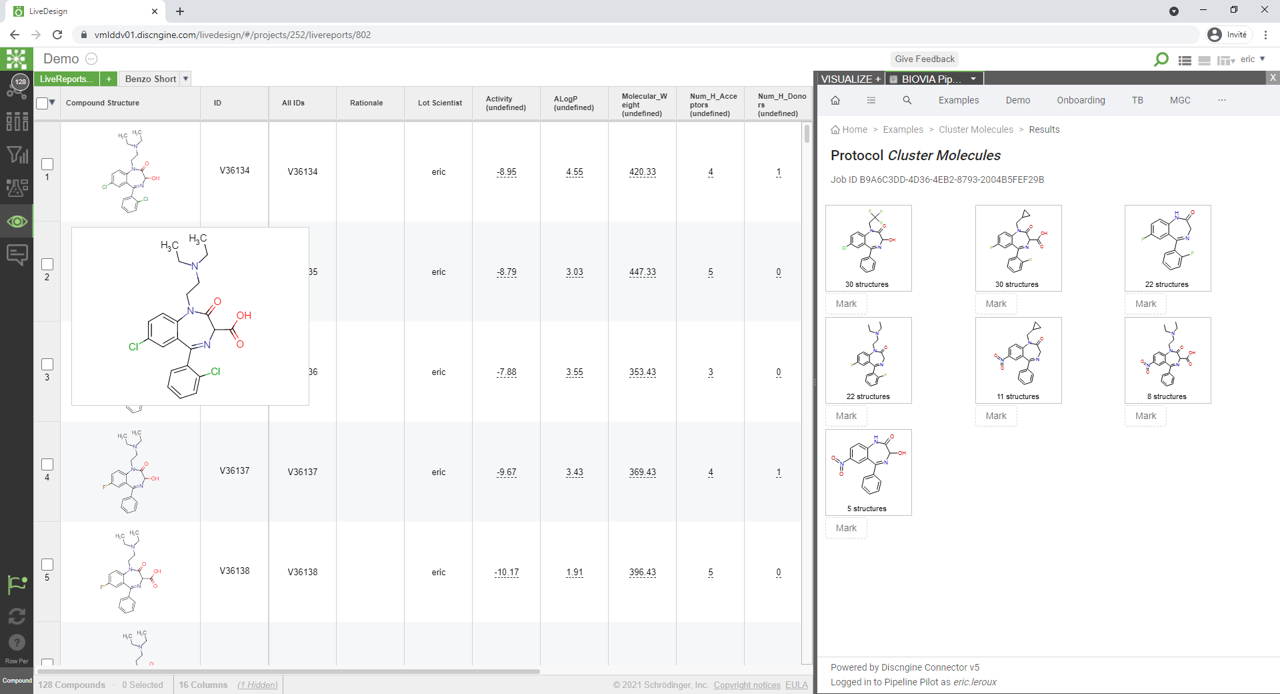
The LiveDesign connector for Pipeline Pilot has been designed to improve integration and user experience when combining LiveDesign and Pipeline Pilot.
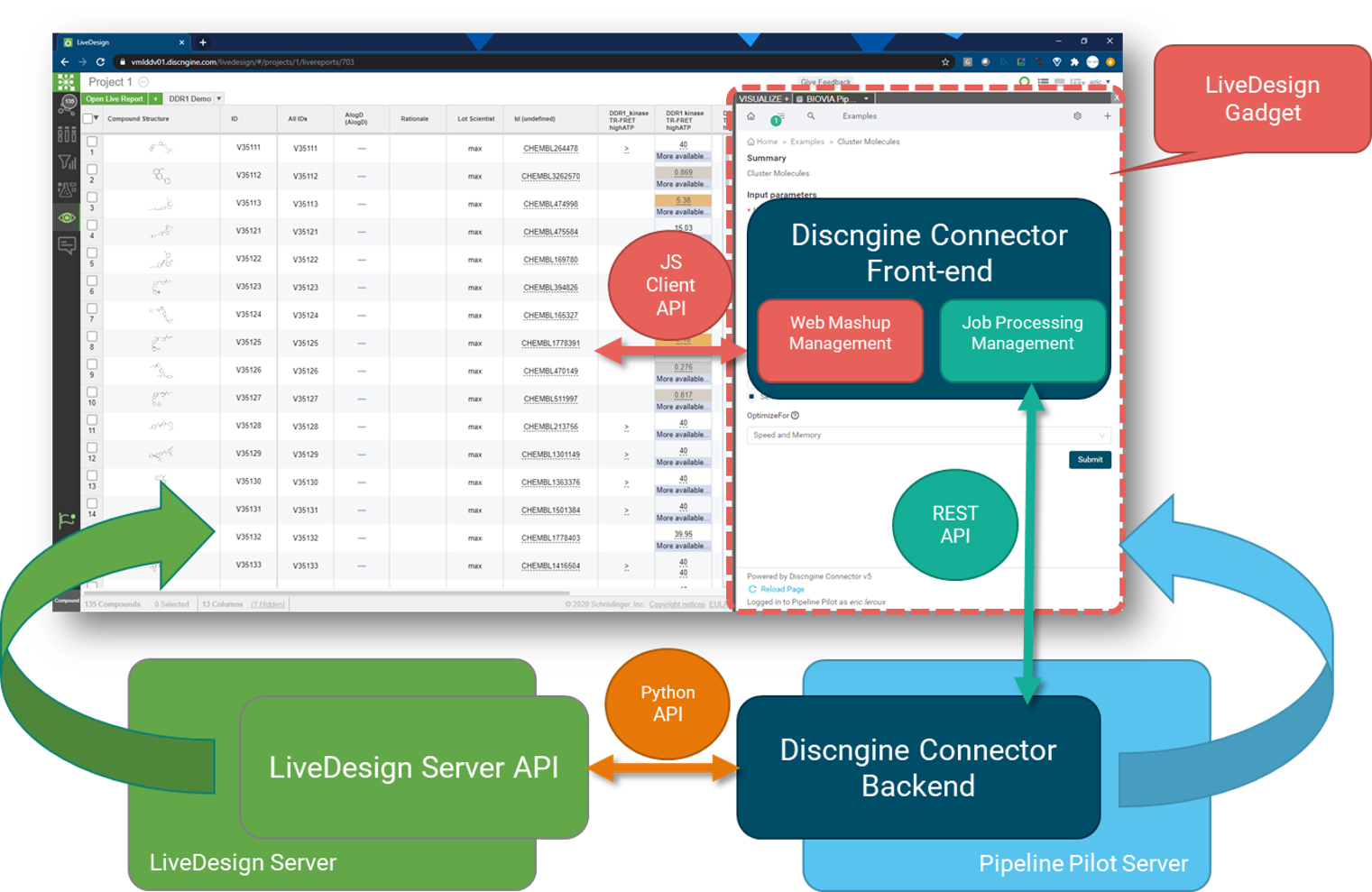
Based on the LiveDesign gadget architecture, it dynamically exposes protocol parameters to the users and gives full control over the protocol execution.
Protocol outputs can be of various types and combined:
LiveReport Rows
LiveReport Columns
New LiveReports
Custom display (charts, tables, URL links..)
The LiveDesign Connector for Pipeline Pilot is easy to install and configure.
Example: Nitrogen Walk - click to enlarge
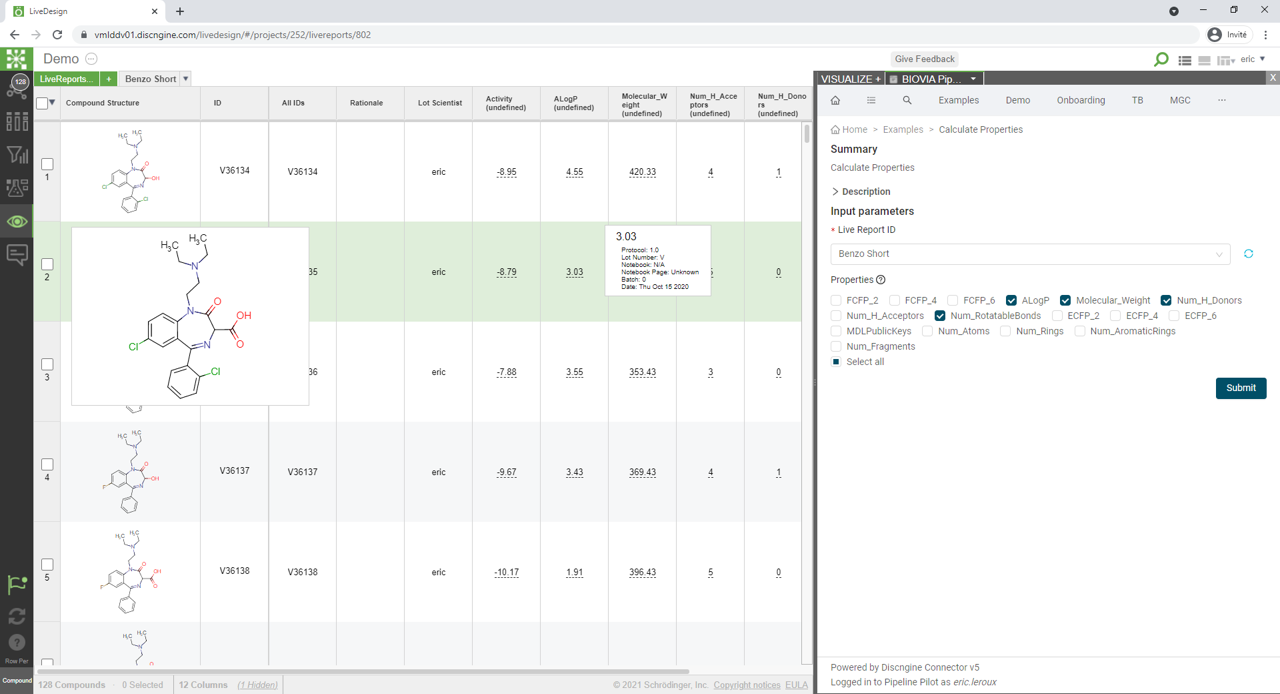
Advanced Protocol Forms into LiveReport UI
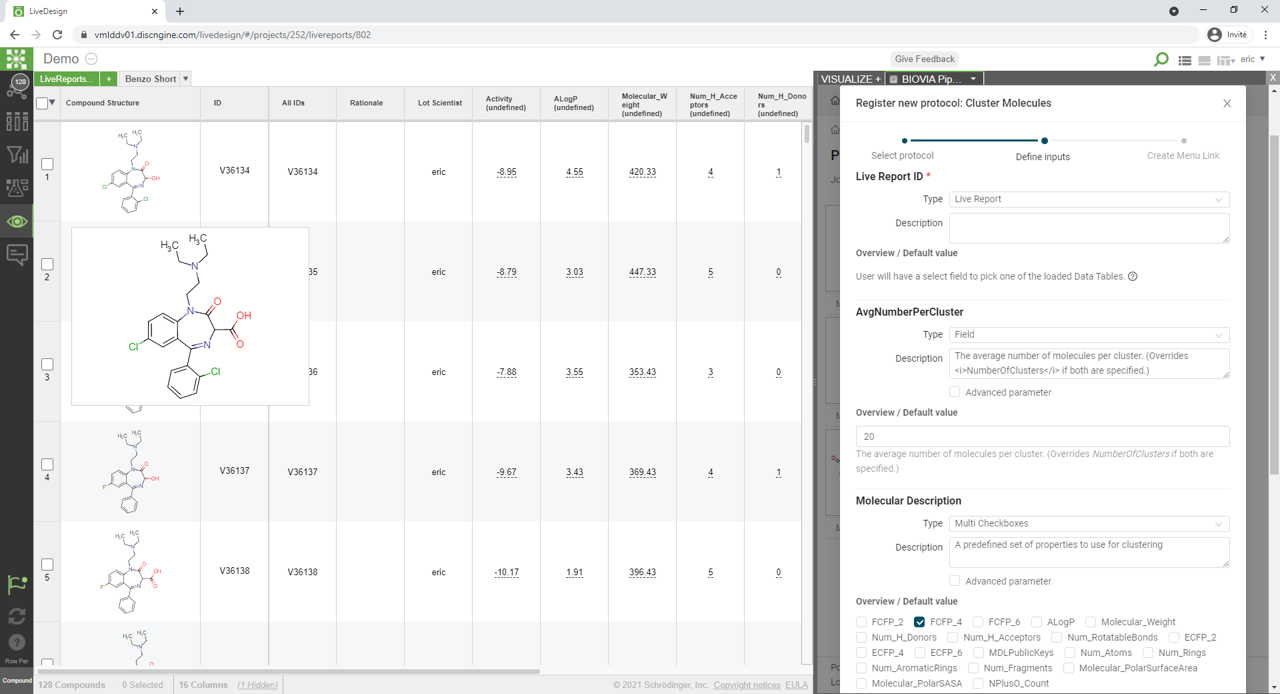
Automatically generates forms based on protocol parameters
Suggest appropriate input items and expose help text
Expose business-specific input items like Chemical sketchers, LiveReport Picker, LiveReport Column Picker, LiveReport Selected Rows
Full control over job execution
Poll, stop, push results, view history, re-run
No-Code integration
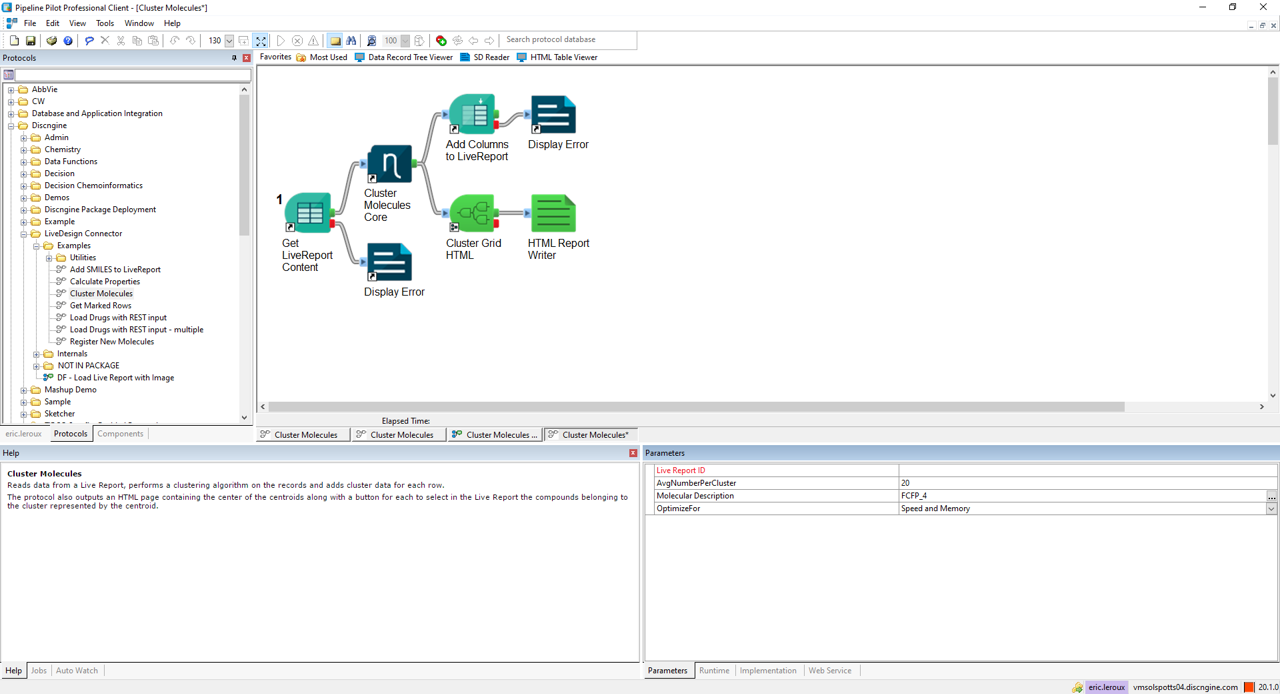
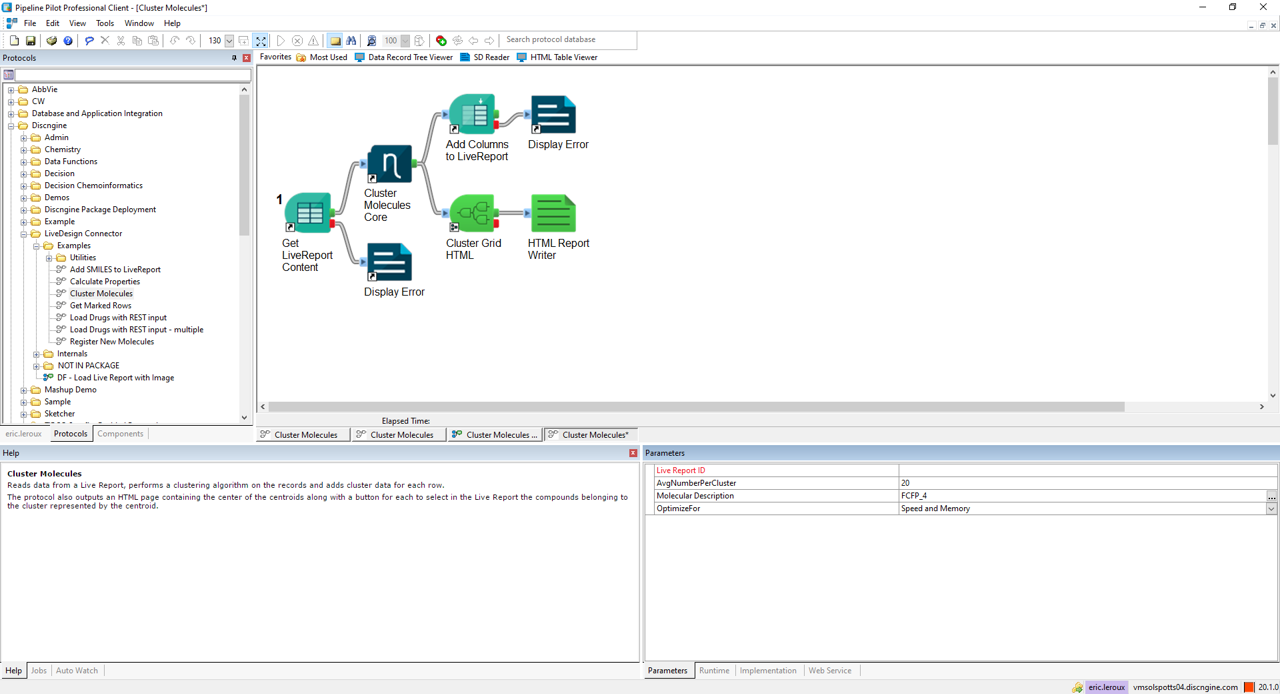
Complete Pipeline Pilot component collection to cover both LiveDesign server and client APIs
New protocol registration is declarative
No code and no configuration file

End-to-end security
Use LiveDesign connected user credentials in LiveDesign API calls
No generic/application account required
Preserves security policies on secured projects
Uses JSESSIONID security token
Programmatic LiveReport management
Add rows, columns, create/delete LiveReports server-side
Can run on a scheduled or event triggered
Can be used as an integration layer for other 3rd party products
What’s new
We continuously refine the LiveDesign Connector for Pipeline Pilot to support evolving workflows and platform requirements.
Explore the changelog to learn more about the latest enhancements and fixes.
See it in action
Frequently Asked Questions
Have more questions?
-
This connector extends LiveDesign capabilities by integrating Pipeline Pilot protocols.
It improves integration and user experience when combining LiveDesign and Pipeline Pilot by dynamically exposing protocol parameters to users and giving full control over protocol execution.
-
The connector is based on the LiveDesign gadget architecture, which is Schrödinger's framework for extending LiveDesign functionality with external applications.
-
Protocol outputs can be various types and can be combined:
LiveReport Rows: Add new data rows to existing LiveReports
LiveReport Columns: Add new calculated columns
New LiveReports: Create entirely new reports
Custom displays: Charts, tables, URL links, and other visualizations
-
The connector automatically generates forms based on protocol parameters.
It suggests appropriate input items, exposes help text, and provides business-specific input items like chemical sketchers, LiveReport picker, LiveReport column picker, and LiveReport selected rows1. Users don't need to manually design forms.
-
Users have full control on job execution with the ability to poll job status, stop jobs, push results, view execution history, and re-run previous jobs.
This provides transparency and control over long-running calculations.
-
The connector provides a no-code integration.
It includes a complete Pipeline Pilot component collection to cover both LiveDesign server and client APIs, and new protocol registration is declarative with no code and no configuration files required.
-
The connector implements end-to-end security by using LiveDesign connected user credentials in LiveDesign API calls.
No generic/application account is required, it preserves security policies on secured projects, and uses JSESSIONID security token.
-
The connector supports programmatic LiveReport management including adding rows and columns, creating/deleting LiveReports server-side.
This can run on a schedule or be event-triggered.
-
The Pipeline Pilot component collection can be used as an integration layer for other 3rd party products.
Since Pipeline Pilot can connect to many external systems, it effectively becomes a bridge between LiveDesign and those systems.
-
The LiveDesign Connector for Pipeline Pilot is easy to install and configure, following the same deployment principles as other Discngine Connectors with straightforward installation procedures.